The 8 best free AI tools in 2026: what do you really get?
Almost every AI tool has a free version. But “free” means a full-fledged assistant with one and a five-minute test drive with the next. We held eight tools up against the makers’ own pricing and help pages: what do you really get for free, where is the limit, and what happens to what you type?
This list is current as of 8 October 2026. We update it at least monthly, because limits shift faster than prices here. A fair warning up front: we cover what the makers promise, not how well the tools perform in your daily work.
The best free AI tools at a glance
| Tool | Best for | What is free (limit) | Paid from | Belgium/EU | Dutch/French | Our verdict |
|---|---|---|---|---|---|---|
| ChatGPT Free | all-in-one chat | unlimited text chats, uploads and images limited | Go, €8 per month (as of 30/9) | yes | yes / yes | roomiest free chat, but training on |
| Claude Free | writing, documents | Sonnet 5.5 and Haiku, limited use per 5 hours | Pro, $20 per month excl. VAT | yes | French in language list, Dutch not mentioned | strongest free model |
| Gemini (free) | chat in the Google world | from 9 October Flash-Lite only, but Deep Research included | AI Plus, €4.99 per month | yes | yes / yes | drops a level this week |
| Gemini Notebook | your own documents | 50 sources per notebook, 50 questions and 3 audio overviews per day | via Google AI Plus | yes | output language configurable | best free study tool |
| Vibe (Mistral) | European chat | ”limited” messages and searches | Pro, €18.14 per month | yes, French company | French site, Dutch not mentioned | European alternative |
| DeepL Free | translation | 50,000 characters and 1 document per month | €8.99 per month | yes, EEA | yes / yes | top-notch, but not for confidential text |
| Canva Free | design with AI | up to 20 AI uses per month | Pro, €110 per year | yes | yes | design tool first, AI on top |
| Adobe Firefly | images and video | daily free generations, number not stated | Standard, €11.17 per month | yes | Dutch-language site | strong on privacy, vague on limits |
Amounts per month including VAT, unless stated otherwise. Sources per tool below, consulted on 8 October 2026.
How we chose
A tool made this list if it met four conditions. The free plan has to be permanent and genuinely usable, not a seven-day trial or one-off credits. The tool has to work in Belgium. The maker itself has to say what is free and where the limit lies. And we had to be able to check with the maker whether your free input is used for training and how to turn that off.
That ruled out some tools you might expect. Perplexity belongs in a list like this on substance, but its pricing and help pages could not be consulted on 8 October, and we do not repeat a limit second-hand. Gamma (presentations) gives you 400 credits when you sign up and nothing after that: that is a trial, not a free plan.
1. ChatGPT Free: the roomiest free chat
An assistant for everything: emails, summaries, questions, the odd image. According to OpenAI’s pricing page, you get unlimited text chats with GPT-6, with the caveat that this holds as long as there is no abuse.
Everything beyond text is limited: uploads, image generation, voice chats, deep research, memory. The paid tiers start with Go at €8 per month, Plus costs €23 (our comparison, prices checked on 30 September).
Not for you if you want long documents analysed or make images every day: you will quickly hit the counter.
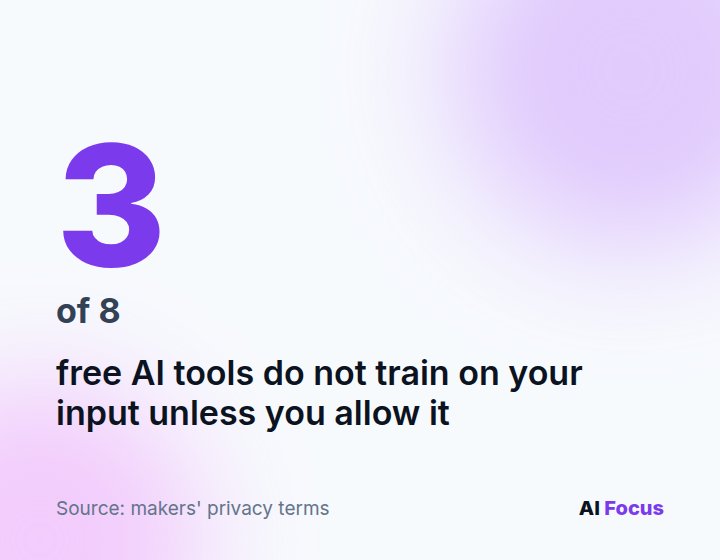
Privacy tip. On personal plans, OpenAI may use your conversations for training. You turn this off via Settings, Data controls, “Improve the model for everyone”, according to OpenAI. A temporary chat is never used for this anyway.
2. Claude Free: the strongest free model
Strong at writing, rewriting and getting to grips with long texts. For free you get Sonnet 5.5, the same mid-tier model paying users get, and the lighter Haiku, plus web search, file creation, memory and Artifacts, according to claude.com/pricing.
There is no fixed number of messages: Anthropic measures your usage per five-hour window, and how much fits in it depends on the length of your conversations and the features you use. Claude Code is not included in the free plan. Pro costs $20 per month excluding VAT; all plans are in our guide to what Claude costs.
If you run long sessions or code a lot, you will soon reach the end of your window.
Privacy tip. With Claude, you decide whether your chats may be used for training, through the model improvement setting in your privacy settings (Anthropic’s privacy centre). Anthropic never uses incognito chats for training.
3. Gemini free: Deep Research included, a smaller model from 9 October
The logical choice if you live in Gmail, Drive and Android. For free you keep Deep Research, Canvas, Gems and image generation with Nano Banana 2.
The limit: from 9 October, without a subscription you only get Flash-Lite, the lightest model, with a context window of 32,000 tokens (Google). On 8 October the subscription page still promises free users 3.6 Flash, so that page is lagging behind. What changes per plan is explained in our Gemini guide. AI Plus costs €4.99 per month on Google’s Belgian subscription page. Gemini is available in Belgium in Dutch and French, Google says.
Flash-Lite is not built for long documents or tricky reasoning.
Privacy tip. Turn off “Keep Activity”. According to its Privacy Hub, Google will then no longer use your future chats to train its AI models, unless you send feedback yourself. They are still kept for 72 hours (Gemini Privacy Hub).
4. Gemini Notebook: the best free study tool
Have your own PDFs, notes and recordings summarised, with source references, or turned into an audio overview to listen to on the go. Google renamed NotebookLM to Gemini Notebook in July 2026; your notebooks stayed where they were, according to Google.
According to Google’s help centre: 100 notebooks, 50 sources per notebook, 50 questions per day, 3 audio and 3 video overviews per day and 10 reports per day. You set the output language yourself; audio overviews exist in more than 80 languages (help article).
If you are looking for a general-purpose chatbot, this is not it: Notebook works with what you put into it.
Privacy tip. If you use it as a private individual, Google says your data is not used for training unless you share feedback. So leave the thumbs buttons alone when working with sensitive documents.
5. Vibe by Mistral: the European alternative
A chatbot from a French company, with image generation, voice mode, 100+ connections to other apps and up to five scheduled tasks. Le Chat has been called Vibe since 12 August 2026; your account, plan and conversations moved with it (Mistral).
Mistral describes the free plan as “limited messages and web searches”, without a number. Pro gives “up to 6x” as many messages and costs €18.14 per month including VAT in Belgium (mistral.ai/pricing).
If you want everything in Dutch, this is less your tool: Mistral offers its site and help centre in French, but not in Dutch.
Privacy tip. Training is on by default. To turn it off: in the admin panel under Vibe, Privacy, the toggle “Allow your interactions to be used to train our models”, or in the app via Data & Account Controls (Mistral help centre).
6. DeepL Free: the translator, with a privacy footnote
Translation between Dutch, French, English and German, ideal for a Belgian SME with customers on both sides of the language border.
For free you get 50,000 characters per month and one document translation of up to 5 MB. Individual costs €8.99 per month, or €7.49 with annual billing, VAT included (DeepL Pro).
Not suitable for contracts, HR files or customer data. According to DeepL, you should not translate texts containing personal data with the free version at all, only with Pro. The reason is in the next paragraph.
Privacy tip. There is no switch here. In the free version, DeepL processes your texts “for a limited period of time to train and improve our neural networks and algorithms”, says its privacy policy. With Pro, that does not happen. Documents are, however, always processed in the EEA.
7. Canva Free: design first, AI on top
Social media posts, flyers and presentations, with more than 1.6 million templates and 5 GB of storage (Canva pricing).
AI is the tight part: up to 20 AI uses per month, shared across all AI tools, and heavy tools count for more. The counter resets on the first of the month (Canva help centre). Pro costs €110 per year in Belgium.
If you mainly want to generate AI images, 20 a month runs out fast.
Privacy tip. Whether Canva may train AI on your designs is something you control under Settings, Privacy settings (privacy policy). Canva does not say which setting is the default, so check it.
8. Adobe Firefly: images without training worries
Create images, short videos and audio. Without a membership, Adobe says you get a limited number of free generations per day, with a limited selection of image, video and audio models (Adobe Firefly).
How many exactly, and which models, Adobe does not say. Firefly Standard costs €11.17 per month including VAT (Firefly memberships).
If you want to know where you stand, that is a sticking point: a limit without a number is hard to plan around.
Privacy tip. Nothing to do. Adobe: “We do not and have never trained Adobe Firefly on customer content”, and according to Adobe the partner models in Firefly never train on your content either (Adobe).
Our take
Eight free plans, but not one of them truly free. You pay with a counter you cannot see, with your data, or with both. The biggest pitfall is not with the chatbots but with the translator: DeepL Free is excellent, and that is exactly what makes it dangerous, because everyone quickly pastes a customer’s email into it.
Our advice: pick one chatbot (Claude for writing, ChatGPT for breadth, Gemini if you work in Google) and one specialised tool. Turn off training on both right away where you can. If you work with customer data, a free private account has no place in that, as we explain in our GDPR guide. And only pay once you hit the same limit every week: then you also know straight away which plan you need.