Built a site with AI? How to get it online with Netlify
You asked Claude, ChatGPT or Gemini to build a website for your business, a landing page for an event, or a handy calculator tool. It looks great on your own computer. Then comes the question nobody explains: how do you get that on the internet, with your own .be address on it?
That piece is often missing from vibe coding. In this guide, we use Netlify as an example because it is one of the simplest paths for this type of project. Full transparency upfront: this post contains one affiliate link, marked with an asterisk, and precisely because of that our house rules are extra strict. The downsides and the alternatives are covered in full.
What you actually get from the AI
With a simple site you usually get a few loose files: an index.html (the page itself), a CSS file (the styling), and sometimes a JavaScript file (anything that moves or calculates). If you built something larger with a tool like Claude Code, you get a project folder with a framework and a build step. That eventually produces those files again, often in a folder called dist or build.
Hosting means nothing more than putting those files on a computer that stays on all the time and shows them to every visitor. If your site consists of HTML, CSS and JavaScript, we call it a static site. That is what Netlify is built for.
Putting your website online, step 1: Netlify Drop
According to the Netlify Drop guide, you go to app.netlify.com/drop and drag your project folder into the Drop zone. You immediately get an address ending in netlify.app.
An account is not required, but without one your site sits behind a temporary password until you claim it. So it is better to log in first: that way Netlify can also build your project itself if a build step is needed. Keep your folder small: Netlify says deploys under 50 MB work best, and individual files over 10 MB can cause a deploy to stall.
Then the bit where many beginners stumble. On the current plans, new projects start private by default: only you and your team see them. Only when you click Make public can anyone with the link view your site. If you see a login screen as a visitor, that is therefore not an error.
Changed something? Drag your updated folder into your project dashboard under Production deploys, and the new version goes live.
Step 2: the proper way via GitHub
Dragging quickly becomes cumbersome if you change things often. The proper way: put your code in a GitHub repository (Claude Code and other AI build tools can do that for you) and connect it to Netlify. According to the repository guide, you choose Add new project in your team dashboard, then Import an existing project, select GitHub and give Netlify access. Netlify recognizes your framework automatically and sets up the build; you confirm with Publish.
From then on, every change you push to GitHub goes live automatically. You get free preview versions (Deploy Previews) to test before anything goes public. Note, though: every push to your main branch is a production deploy, and that costs credits (see further).
Step 3: your own .be domain and HTTPS
An address like mybusiness.netlify.app works for a test, not for your business. According to the domain guide, you go to Domain management in the left sidebar, then Add domain and Add a domain you already own.
You buy your .be domain from a regular registrar. After that you have two options. Either you change the nameservers at your registrar to Netlify’s (Netlify DNS). Or you keep your DNS where it is and set up records yourself, as the guide for external DNS describes: for www a CNAME to yourproject.netlify.app, for the bare domain an ALIAS record to apex-loadbalancer.netlify.com, or an A record to 75.2.60.5 if your provider does not support ALIAS. Such a change can take a few hours to work everywhere; if your domain still does not work after 24 hours, Netlify points you to its troubleshooting guide.
You do not have to buy HTTPS, the padlock in the browser, separately. Netlify sets up free certificates via Let’s Encrypt, even for your own domain, and renews them automatically. You find the status under Domain management > HTTPS.
What does Netlify cost? Credits instead of limits
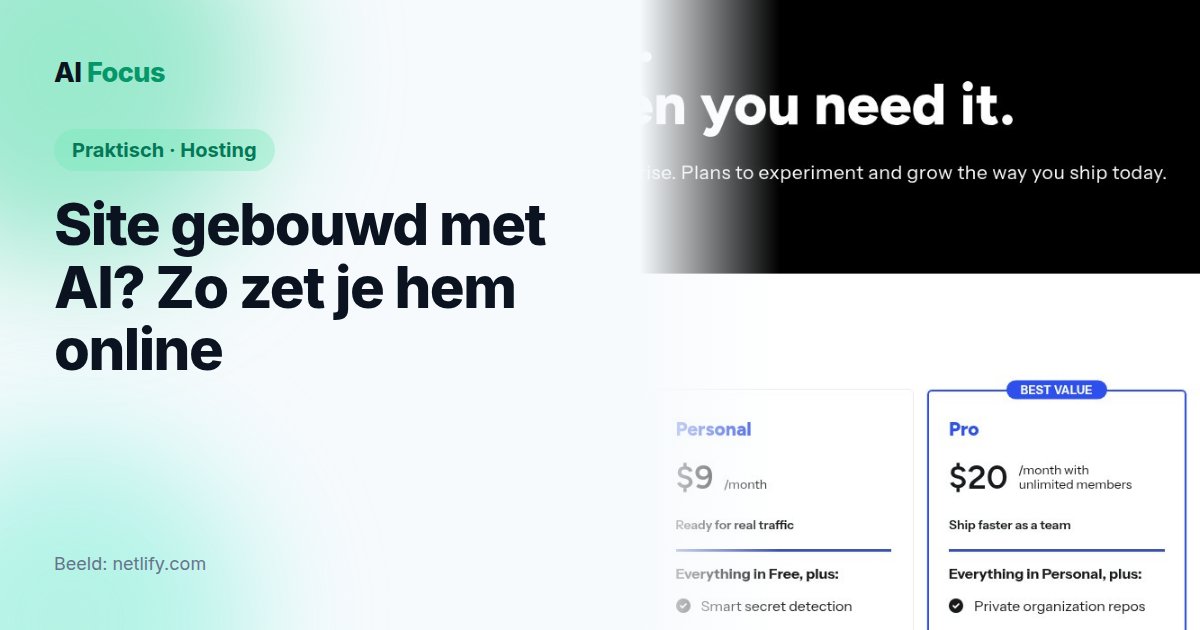
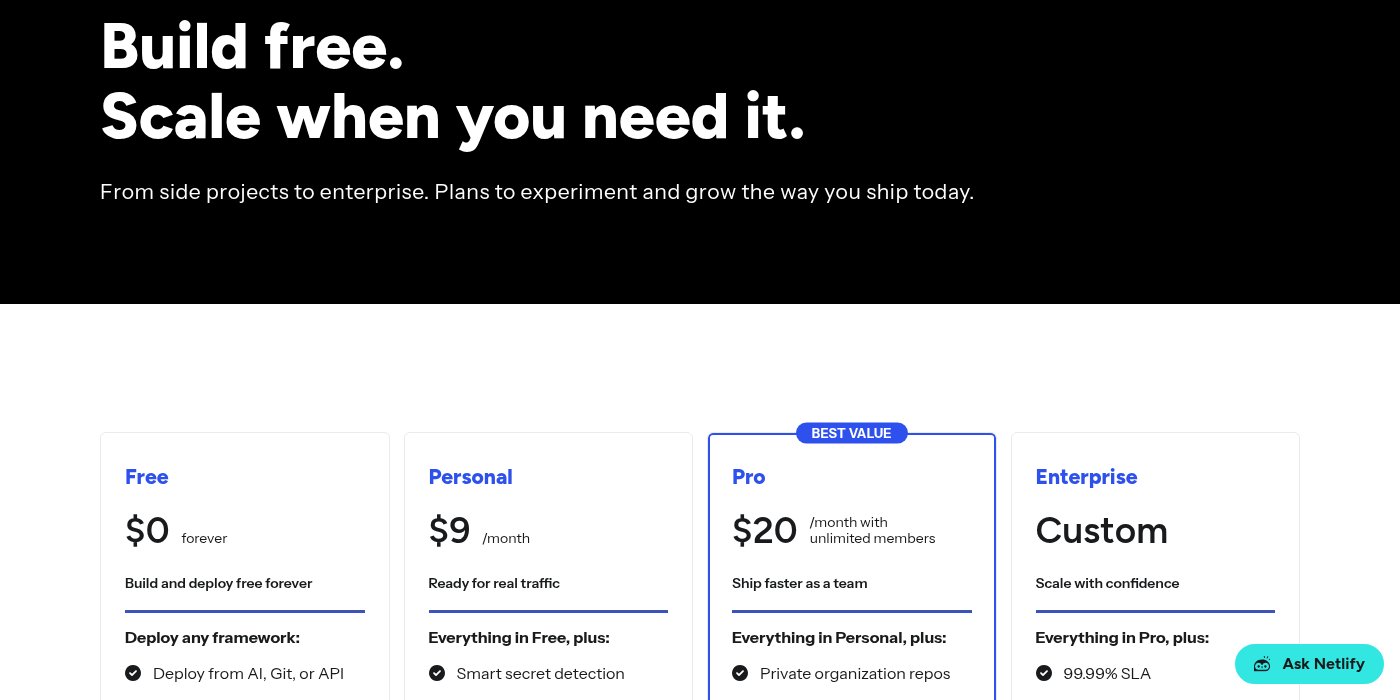
Netlify uses credits. On the pricing page, there are four plans. Prices are in dollars, without mention of VAT.
| Plan | Price per month | Credits per month |
|---|---|---|
| Free | $0 | 300 (hard limit) |
| Personal | $9 | 1,000 |
| Pro | from $20, unlimited team members | 3,000 for $20, up to 20,000 for $126 |
| Enterprise | custom | custom |
What uses credits? According to the credits explanation, a production deploy costs 15 credits, a GB of traffic 20 credits, and 10,000 web requests 2 credits. Note: every file a visitor loads (page, stylesheet, image) counts as a request. Netlify Forms is free and unlimited on all credit plans, and a custom domain with HTTPS is included in the free plan too.
What does that mean in practice? Our own estimate, based on those rates: 300 credits are 20 deploys, or 15 GB of traffic, but not both. A small site with 10 deploys per month (150 credits), 5 GB of traffic (100 credits), and 100,000 requests (20 credits) comes to 270 of 300. That fits, but the margin is small. If you let an AI agent push changes a few times a day, you will burn through those 20 deploys in about a week, before a single visitor even counts.
Where it pinches
Credits gone means site offline. That is the biggest downside. Once your balance is fully used, all your projects are paused and visitors see a “Site not available” page, until your balance returns next cycle. On the free plan that is a hard limit: a sudden spike in visitors can knock your site offline. On Personal and Pro you can buy extra credits or set them to auto-reload (500 credits for $5 or 1,500 for $10), but auto-reload is off by default. Turn it on and your bill grows with your success.
No PHP, so no classic WordPress. In a support guide on its own forum, Netlify says it plainly: there is no application server or language runtime like PHP running. If your AI created a PHP file or a WordPress theme, that does not work here.
Netlify advertising on your site. On new projects in the free plan, created from August 19, 2026 onward, Netlify shows a badge “Powered by Netlify” in the bottom right that invites visitors to build something too. You can turn it off per project under Project configuration > General, but you have to know about it.
Your data goes to the US. Netlify is an American company based in San Francisco. According to its privacy policy, personal data may be processed outside Europe; for transfer to the US it relies on the EU-U.S. Data Privacy Framework. For a portfolio site that is rarely a problem. If you collect customer data through forms, read our GDPR guide first.
The alternatives side by side
| Service | Free plan | Custom domain | Best for |
|---|---|---|---|
| Netlify | yes, 300 credits/month, then pause | yes, with HTTPS | small static sites and AI-built tools |
| Cloudflare Pages | yes, unlimited traffic, 500 builds/month | yes | static sites with many visitors |
| GitHub Pages | yes, soft limit of 100 GB traffic/month | yes | hobby and project sites, not online businesses or web shops |
| Vercel | yes (Hobby), personal only, non-commercial use | yes | personal projects; Pro costs $20/month |
| Combell (Belgian) | no; WordPress hosting from €5.99/month excl. VAT first year, then €19.49 | yes, domain free first year | WordPress, PHP and mailboxes with a Belgian host |
A quick note. Cloudflare Pages promises on all plans “unlimited sites, seats, requests, and bandwidth”; the 500 builds per month limit on the free plan is in the limits page. If you expect lots of traffic without paying, you are better off there than on Netlify’s free plan. GitHub Pages is not designed for an online business or web shop according to its own rules. Vercel keeps Hobby for personal, non-commercial use; a site for your business needs Pro there. Combell is the classic choice if you want WordPress or mailboxes with your hosting; the company itself calls it “Belgium’s best data center”.
Our take
For what most people build with AI today, a landing page, a portfolio or a small calculator tool, Netlify is a strong and low-barrier choice. The three steps above cost you nothing at Netlify (you only pay your registrar for the domain): drag a folder or connect GitHub, add your domain, HTTPS comes free. If you want to try it, you can create a free Netlify account*.
But the free plan is tighter than “free” suggests. Once credits are gone, your site is on pause, and anyone who deploys often burns through them faster than you think. For WordPress or PHP it is the wrong tool. Expect lots of traffic without wanting to pay? Put Cloudflare Pages on your shortlist too. And if you want one Belgian host for site, domain and mail, a classic host like Combell is simpler, though you pay from day one.
Still wondering which AI builds your site best? Our comparison of ChatGPT, Claude and Gemini helps you choose, and what Claude costs explains which subscription you need to use Claude Code.
This post contains affiliate links, marked with an asterisk. If you choose via such a link, we earn a small commission; you pay nothing extra.